
This Designrr Review looks at a platform built for turning existing articles, documents, recordings, and other source material into designed publications. Its main advantage is workflow: you can import content, apply a template, edit the structure, and publish without manually rebuilding every page in a general-purpose design tool.
Designrr makes the most sense if you already own useful content and want to publish it in another form. A marketer could combine blog posts into a lead magnet, while a podcaster could transcribe an episode and turn the edited transcript into an ebook. Coaches, course creators, freelancers, and small agencies have similar opportunities to reuse work they have already produced.
The main buying decision is the plan. Standard handles basic URL, Word, and Google Docs imports, but it has no included transcription and Designrr’s main pricing table does not list PDF import, project cloning, or Kindle, iBooks, and ePub export at this tier. Pro adds those publishing features, while Premium is where included transcription begins. Designrr pricing and plan details.
Designrr is less compelling for someone who wants freeform graphic design, native email-platform automation, or occasional file conversion without a recurring subscription. It also cannot extract content from scanned or image-based PDFs. Those workflows are better served by a design tool, an OCR application, or one of Designrr’s free browser-based converters.
Product Review Labs Verdict
Expert score: 7.8/10
Best for: Marketers, publishers, creators, and freelancers who regularly repurpose existing content.
Best starting plan for most publishers: Pro.
Upgrade to Premium when: audio or video transcription is part of the regular workflow.
Skip Designrr when: your main need is freeform graphic design, OCR for scanned documents, native email automation, or occasional file conversion.
How this review was researched
Review type: Research-based evaluation rather than a hands-on product test. Our editorial staff, assisted by proprietary research software developed in-house, reviewed 10 Designrr-owned sources on August 26, 2026, including the main product site, pricing page, Terms of Use, software license, comparison pages, free tools, flipbook documentation, ebook-creator page, and transcription documentation. We use those primary sources for product facts, explicitly flag conflicts between Designrr’s own pages, and keep third-party user feedback separate from vendor claims. This page was editorially revised on September 25, 2026. Read our full review methodology.
What to Verify Before Buying Designrr
The biggest Designrr buying mistakes come from choosing a price first and checking the required workflow second. These are the details we would verify before paying.
1. Standard and Pro are separated by more than templates
Designrr’s regular pricing page lists Standard at $29 per month and Pro at $39. Standard covers web, Word, and Google Docs imports, while Pro adds PDF import, project cloning, and Kindle, iBooks, and ePub export. If any of those are required, the cheaper plan is not the practical choice. Source: Designrr pricing.
2. Designrr’s own pages conflict on Standard-plan flipbooks
Designrr’s main pricing page omits the Flipbook Generator from Standard and lists it starting with Pro. However, Designrr’s own comparison pages are not consistent with that presentation: its Designrr-vs-Issuu page describes the $29 Standard/special-offer tier as including a flipbook generator, while its Designrr-vs-Canva page says the $27 lifetime Standard deal does not include the Flipbook Generator and points buyers to Pro. Because these are conflicting first-party claims, Product Review Labs does not treat Standard flipbook access as settled. Verify the exact feature list shown at checkout before choosing a plan for flipbooks. Pricing page · Designrr vs Canva · Designrr vs Issuu.
3. Included transcription starts with Premium and resets monthly
Premium includes four transcription hours per month, Business eight, and Agency Premium 25. Designrr’s transcription documentation states that the included allocation resets each month, so unused included minutes do not accumulate. Extra minutes can be purchased when the monthly allowance is exhausted. Source: Designrr transcription documentation.
4. Free-trial conversion has different refund treatment
Designrr’s terms provide a 30-day money-back guarantee on qualifying direct one-time and subscription purchases, but the same terms say there is no money-back guarantee offered on a free trial after it converts to a paid charge. If you are only evaluating the editor, note the conversion date before the trial ends. Source: Designrr Terms of Use.
5. Promotional pricing can differ from the regular plan table
Designrr’s regular pricing page lists monthly prices of $29, $39, $49, $99, and $249 across its five tiers. Separate Designrr comparison pages also advertise promotional structures, including a $27 one-time Standard lifetime offer and a $97/year Pro offer. Because those promotional pages do not perfectly match the main pricing page, treat them as offer-specific rather than as the baseline price. Compare the actual checkout price, billing frequency, renewal terms, and included features before paying. Regular pricing · Designrr vs Canva · Designrr vs Issuu.
What Is Designrr?
Designrr is a cloud-based ebook creator and content repurposing platform. It runs through a browser, so there is no desktop application to install when moving between Windows and Mac computers.
Instead of requiring every project to begin with an empty page, Designrr can bring in material from a webpage, Microsoft Word, Google Docs, Facebook, or a blank draft. PDF import starts with Pro, while audio and video transcription requires an eligible transcription plan or separately purchased minutes.
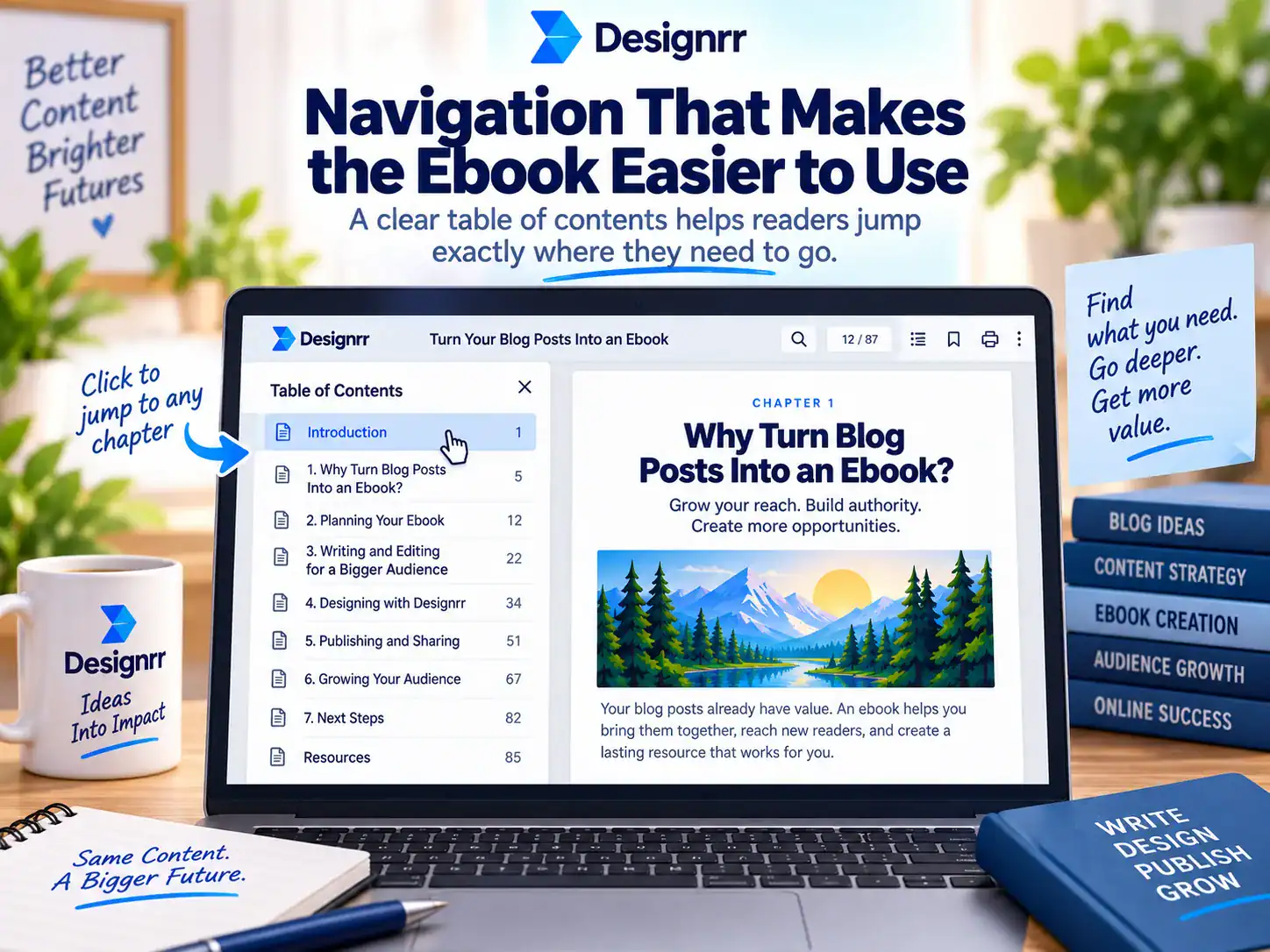
Once the content is inside a project, Designrr applies a publication template and provides controls for headings, fonts, colors, images, covers, and page structure. Its automated table of contents and page-number tools are especially relevant to longer documents, where formatting every section manually becomes tedious.
This makes Designrr different from a writing application. It can generate and rewrite material through Wordgenie, but its more distinctive purpose is converting source content into structured, publishable documents.
What You Can Import and Create
The value of Designrr depends heavily on the material you start with and the output you need. Importing directly from an article URL can remove the copying, pasting, and cleanup involved in moving a blog archive into an ebook. Word and Google Docs imports are useful when the manuscript has already been drafted elsewhere.
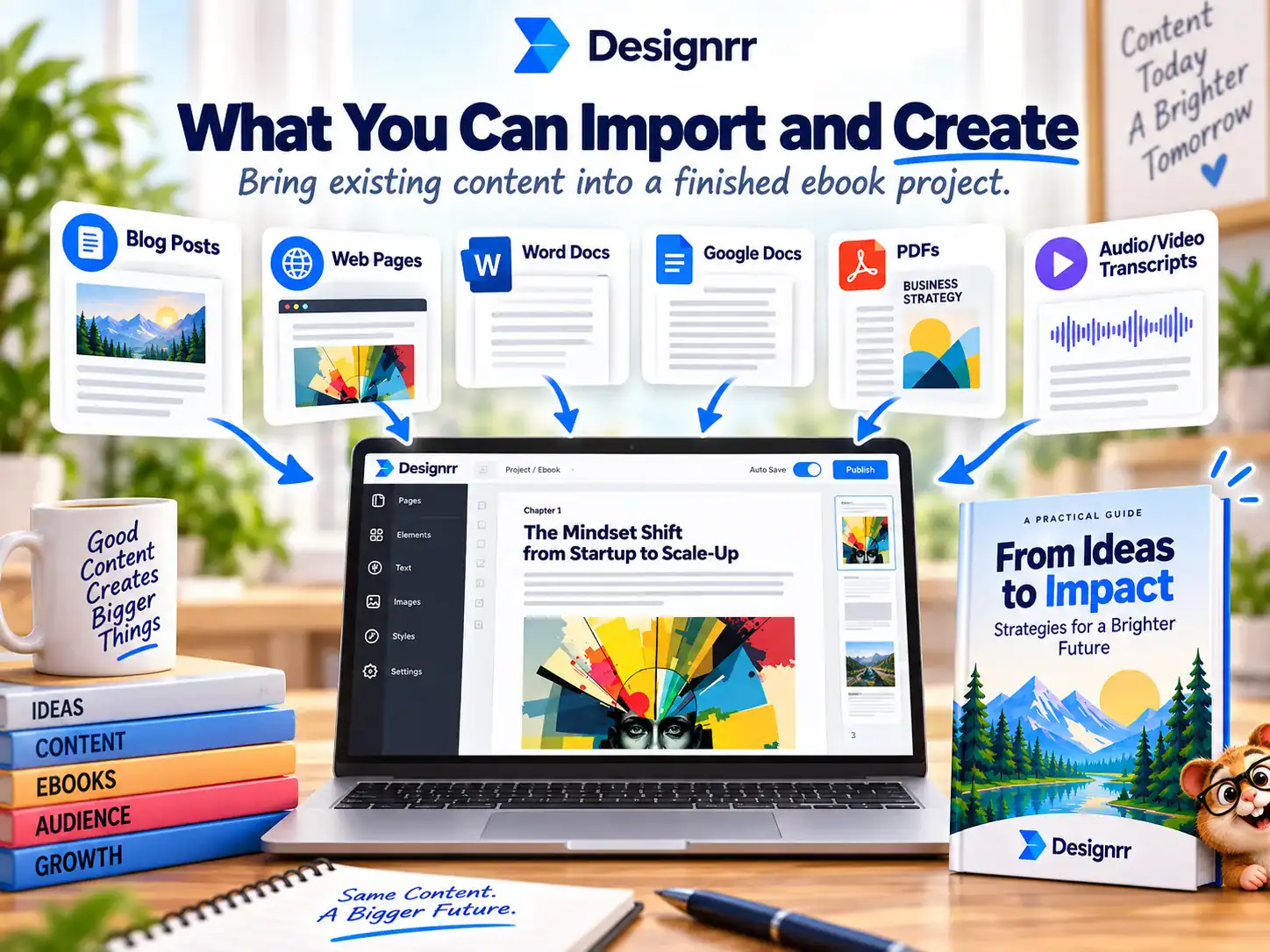
Pro adds text-extractable PDF import. A scanned PDF will not work unless another tool first performs optical character recognition and creates usable text. Premium and higher plans add included transcription time for YouTube links and common audio or video formats.
Output availability also changes by plan. The main pricing page places PDF import plus Kindle, iBooks, and ePub export on Pro and higher. Designrr also promotes flipbooks, HTML, audiobook, and KDP print workflows, but its own pages conflict on whether Standard includes the Flipbook Generator. For that reason, this review treats PDF import and ebook-format export as clear Pro features while telling flipbook-focused buyers to confirm Standard-vs-Pro access at checkout. Source: Designrr pricing.
| Starting material | Eligible plan | Practical use | Relevant limit |
|---|---|---|---|
| Webpage or URL | Standard and above | Turn articles into lead magnets | You need rights to reuse the content |
| Word or Google Docs | Standard and above | Format an existing manuscript | Imported formatting may need editing |
| Text-based PDF | Pro and above | Restyle an existing publication | Scanned PDFs are not supported |
| YouTube, audio, or video | Premium and above for included hours | Create transcripts and derivative content | Monthly hours expire if unused |
| Blank draft | Standard and above | Write and design inside Designrr | Less suited to freeform page design |
How the Content Repurposing Workflow Works
A typical project begins by choosing an import source or opening a blank draft. For a URL import, Designrr is built to isolate the article content rather than carry the website’s navigation and advertising into the document. Several articles can be brought into one project, which is useful for building a themed guide from a series of related posts.
The next step is choosing a template. Designrr offers a large collection of customizable layouts, including one-column and two-column designs in Letter and A4 sizes. Templates give the project an initial structure, but the cover, fonts, colors, images, and other styling can be changed.
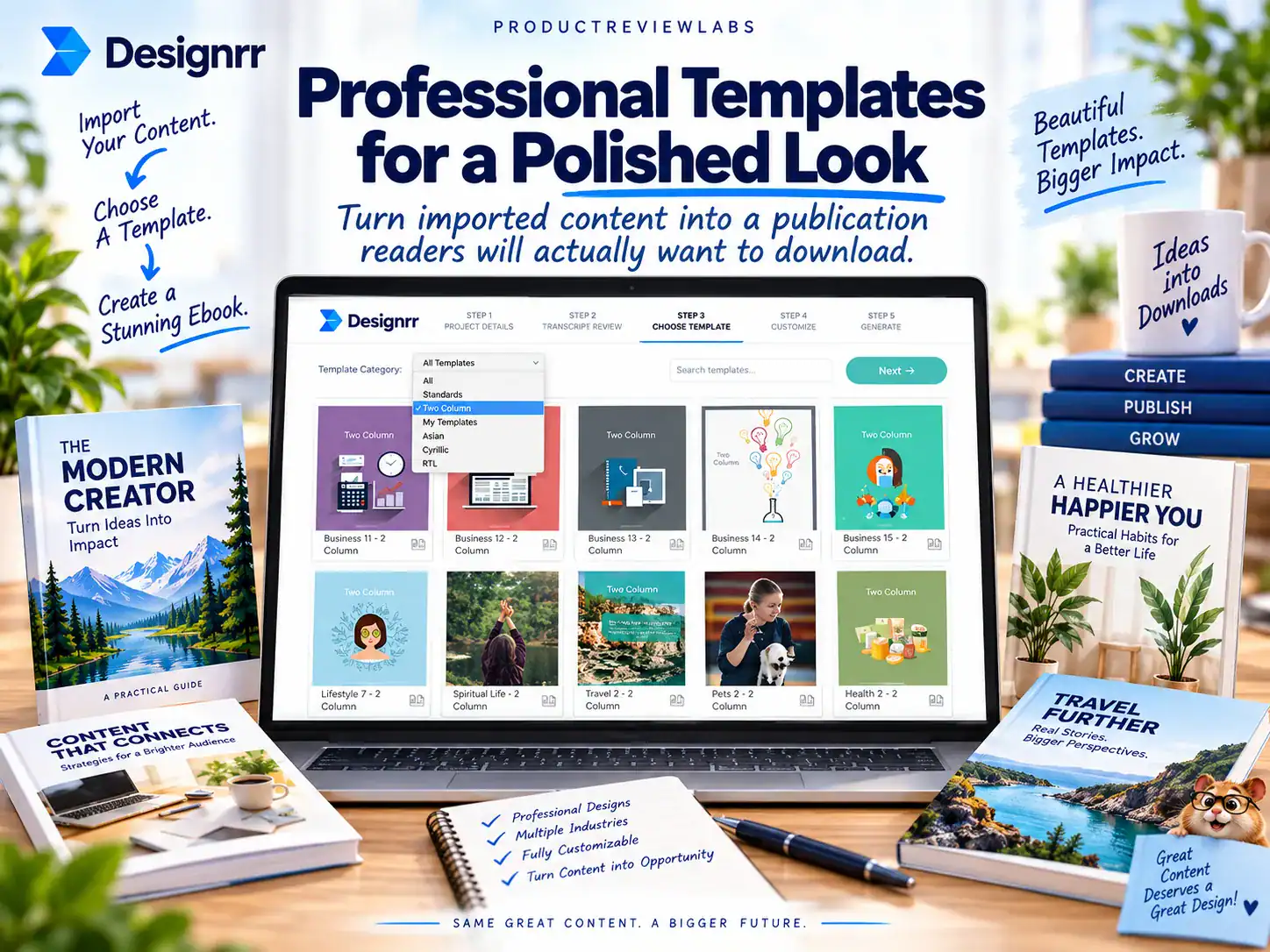
Global editing is more useful than it first sounds. Changing a heading style across the whole publication is faster and less error-prone than modifying the same element page by page. Designrr can also generate a linked table of contents, nest headings, and update page numbers as the document changes.
The final stage is publishing or exporting. A lead magnet may only need a PDF, while a self-publisher could require ePub or Kindle output. A client-facing brochure may work better as a hosted flipbook with a shareable link and website embed. Choosing the required output first makes the correct plan easier to identify and prevents a cheaper deal from steering you toward a tier that lacks the necessary format.
The Design and Editing Features That Matter
Designrr’s editor is organized around publication formatting rather than unrestricted canvas design. You can adjust typography, backgrounds, images, covers, and page elements, with global controls available for repeated styles. This approach is useful for keeping a long ebook consistent, although it may feel less immediate to someone accustomed to positioning every object manually in Canva.
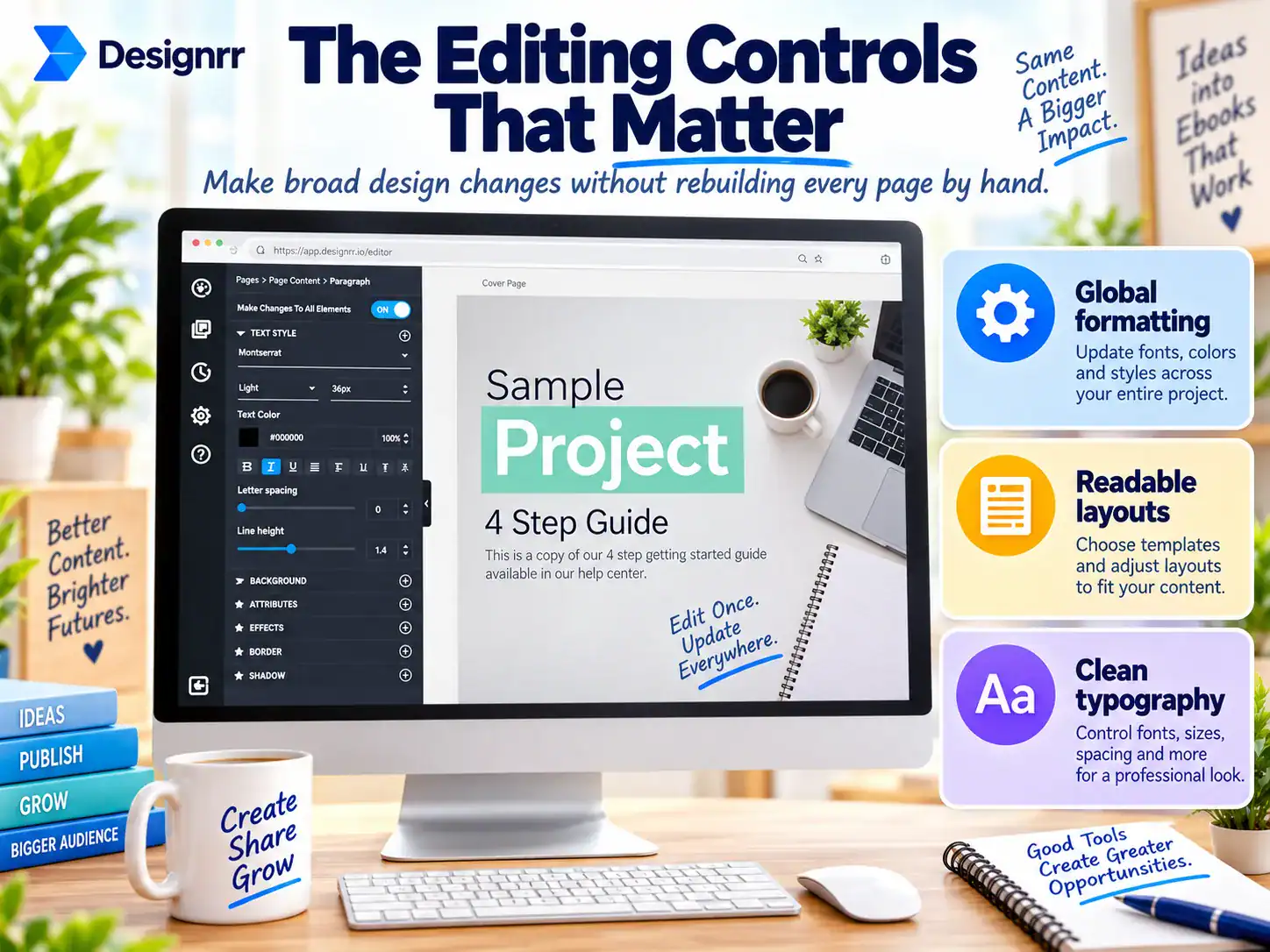
An integrated image editor handles jobs such as cropping, resizing, and recoloring. Designrr also provides access to images from Unsplash and Pixabay. That can reduce switching between applications while assembling a lead magnet, though you still need to choose imagery that fits the subject rather than treating stock access as automatic good design.
Clickable links, headers, and footers can be added to the finished document. Imported posts can carry the article title and a backlink to the original page, with both elements available for editing. This is useful when an ebook is meant to send readers back to a website or supporting offer.
Designrr also provides free browser-based converters for tasks such as DOCX to EPUB, EPUB to PDF, PDF to EPUB, and Markdown to PDF. These tools can solve a simple format-conversion job without a paid account, but they create converted files rather than fully designed publications with covers, styled chapter openings, and coordinated typography. Source: Designrr Free Tools.
Designrr Pricing and Plan Comparison
Designrr’s standard monthly pricing, before any offer listed in the Coupons and Discounts section, starts at $29 for Standard and rises to $249 for Agency Premium. Standard through Business are one-user plans. Agency Premium is the listed team tier, with support for five or more users. Source: Designrr pricing.
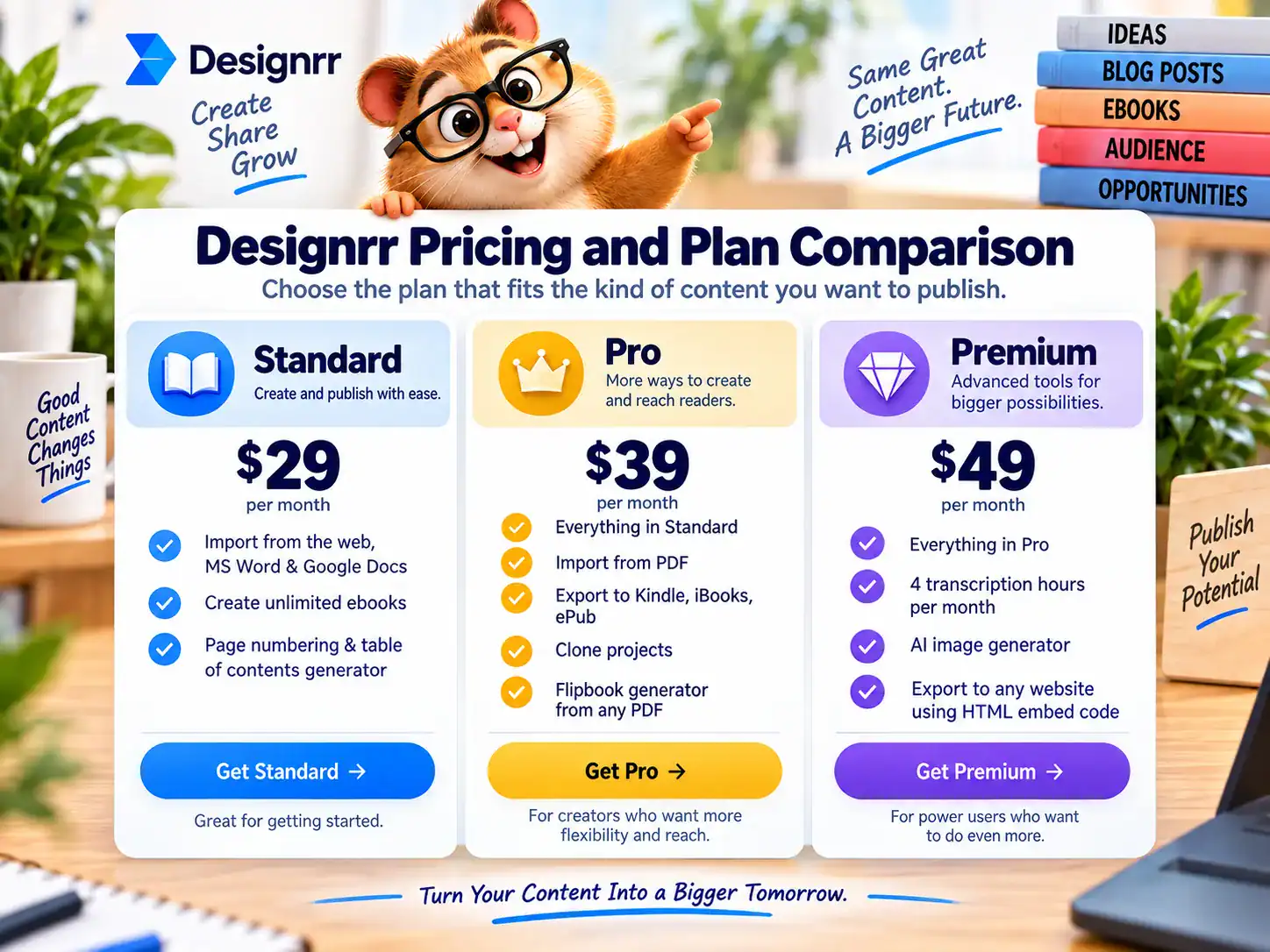
The $10 move from Standard to Pro changes more than the template selection, and a discount on Standard does not erase that feature gap. The main pricing page clearly adds PDF import, project cloning, Kindle, iBooks, and ePub publishing at Pro. Flipbook access is less clear because Designrr’s own pages conflict, so buyers choosing a plan specifically for flipbooks should confirm the checkout feature list. Pricing source · Comparison source.
Premium costs another $10 per month and introduces four transcription hours, the AI image generator, and media-oriented features such as Dynamic Transcripts. Business increases the monthly transcription allocation to eight hours. Agency Premium raises it to 25 hours and adds a dedicated client interface, onboarding help, and 24-hour support. Source: Designrr pricing.
Business and Agency Premium require contact with Designrr rather than the self-service signup used for the lower tiers. Extra transcription time can also be purchased separately, which may be more economical than moving up a full tier when you only exceed the allowance occasionally.
| Plan | Monthly price | Users | Included transcription | Purchase-deciding additions |
|---|---|---|---|---|
| Standard | $29 | 1 | None | URL, Word, and Google Docs imports |
| Pro | $39 | 1 | None | PDF import, cloning, higher flipbook allowance, Kindle and ePub |
| Premium | $49 | 1 | 4 hours | Transcription, AI images, Dynamic Transcripts |
| Business | $99 | 1 | 8 hours | Higher media-processing allowance |
| Agency Premium | $249 | 5+ | 25 hours | Client interface, onboarding, 24-hour support |
Is the Standard Plan Enough?
Standard is enough for someone turning owned webpage content or documents into basic PDF publications. A blogger creating occasional lead magnets from existing articles may not need transcription, PDF import, or ebook-store formats. In that narrow use case, paying for a higher tier adds functions that may sit unused.
Pro is the better starting point if you receive client PDFs, need to clone projects, or intend to publish through Kindle and ePub channels. Those differences are documented consistently on the main pricing page. Flipbook access should be checked separately because Designrr’s own pages disagree on what Standard includes.
Premium is for a different workflow. Its four monthly transcription hours cover roughly four one-hour podcast episodes, assuming the full recordings are submitted. That is comfortable for a weekly show but restrictive for a creator processing a large archive. Because unused time does not roll over, a sporadic transcription workload may waste part of the allowance.
A one-time Standard promotion has also been advertised under the Designrr lifetime deal label. Treat any such offer as Standard rather than as a substitute for Pro or Premium. It does not turn the entry tier into a route to PDF import, ebook-format exports, or included transcription.
Transcription and Wordgenie AI Tools
Designrr can turn uploaded audio, video, or a YouTube link into an editable transcript. Supported file examples include MP4 and MOV video, along with WAV, MP3, and AAC audio. The transcript can be downloaded as plain text or used as source material for an ebook, blog post, show notes, or flipbook.
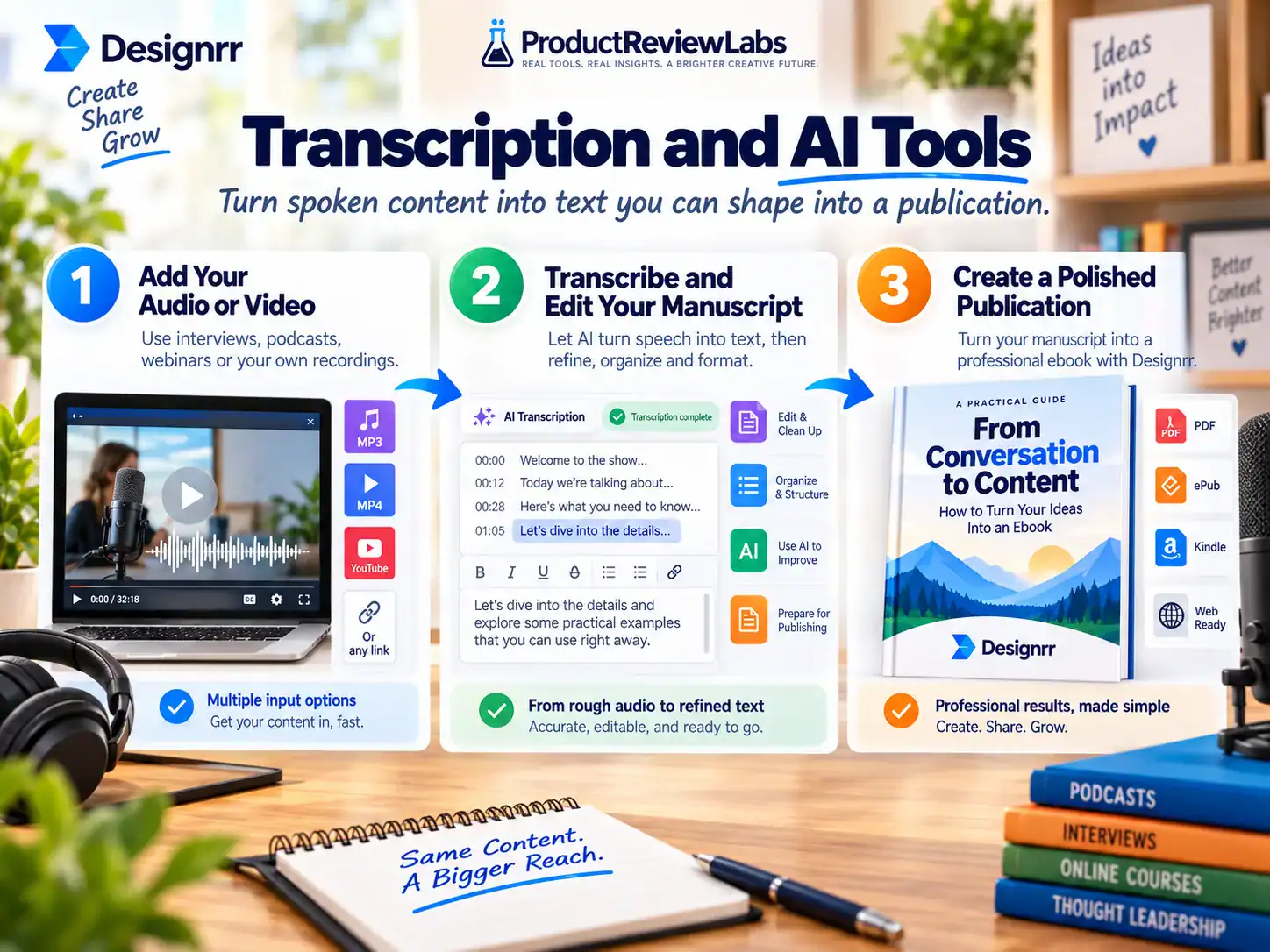
The synchronized editor connects the recording with its transcript, helping you locate the relevant point in the media while correcting text. Premium also includes Dynamic Transcripts, which can align YouTube transcription with scene screenshots. Designrr describes another feature that detects mentioned websites and adds corresponding webpage images to the document.
Designrr estimates processing at about one-tenth of the recording length plus one minute, excluding upload time. That is a company estimate rather than a guaranteed completion time. Audio clarity matters as well: high-quality English recordings are expected to produce better results, while strong accents and poor recordings can require more correction.
Wordgenie handles generation and rewriting inside the document workflow. Standard includes the base AI content creator, Pro and higher tiers add Wordgenie Pro, and the AI image generator begins with Premium. These tools can help draft chapters, adjust tone, fix grammar, and reorganize material, but generated text still needs editorial review for accuracy, originality, and consistency.
The practical limitation is metering. Premium includes four hours per month, Business includes eight, and Agency Premium includes 25. Unused minutes reset each month, so the right tier should be based on a normal production schedule rather than the largest archive you might process once.
Flipbooks and Publishing Formats
Designrr’s flipbook creator converts a publication into an HTML5 presentation with page-turning behavior. The finished project receives a shareable link and can be embedded on a website or distributed through email and social media. HTML5 support means the reader does not need the retired Flash browser technology.
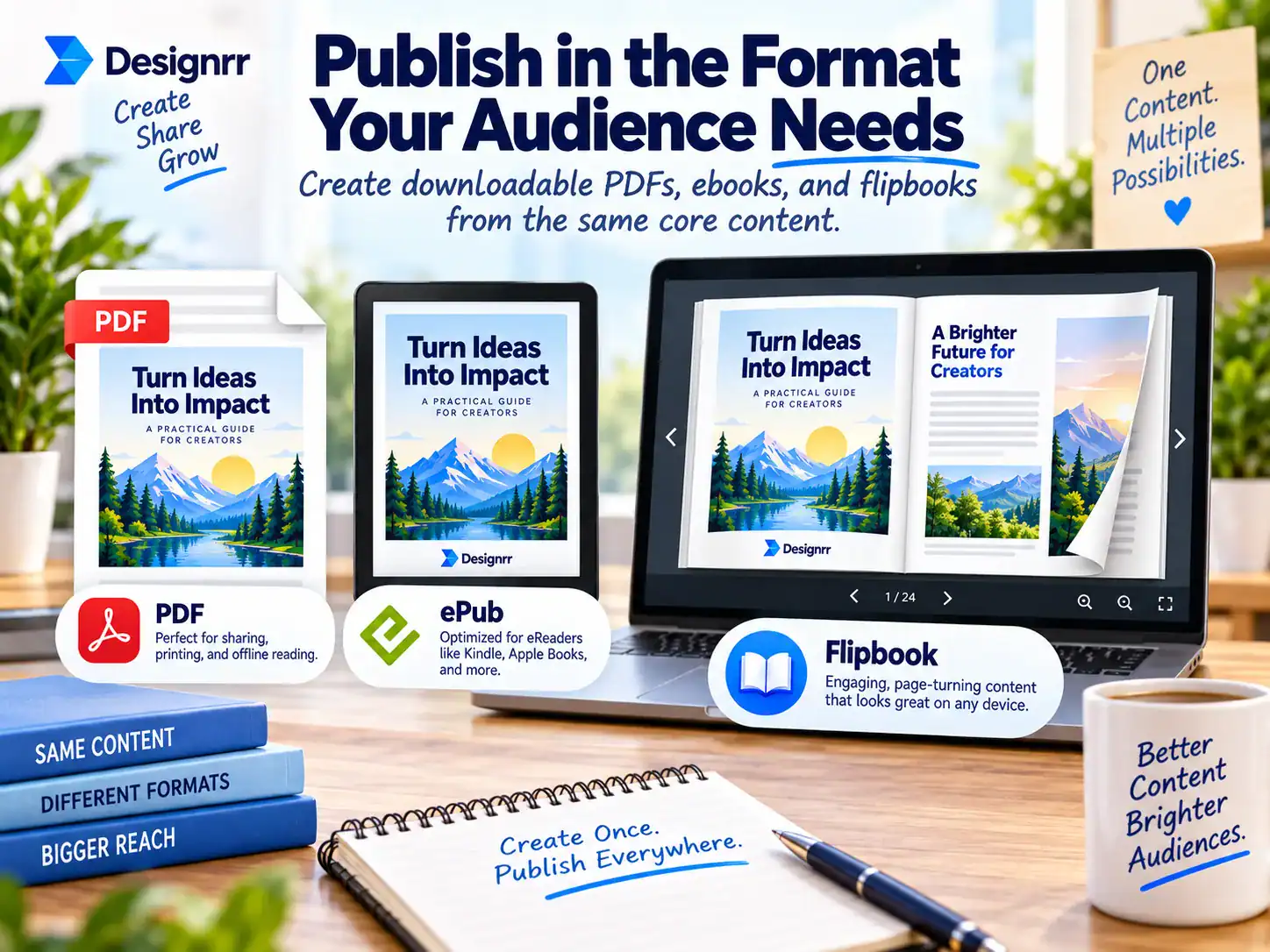
A flipbook is useful for brochures, portfolios, reports, and magazines that are meant to be viewed online. It is less suitable when the reader expects a downloadable Kindle file or a reflowable ebook that adapts to different screen sizes. Designrr’s dedicated flipbook page confirms that finished flipbooks can receive a shareable link and be embedded on a website, but the research set does not provide a reliable, conflict-free Standard-vs-Pro entitlement table. Source: Designrr Flipbook Creator.
For traditional ebook distribution, Pro also adds Kindle, iBooks, and ePub output. This is the more meaningful publishing distinction because a PDF alone does not behave like a reflowable ebook. Self-publishers should still inspect exported files carefully, especially documents containing complex tables, columns, or image-heavy layouts.
Ease of Use and Workflow Limits
Designrr removes much of the repetitive work involved in assembling a publication, but it is not simply a one-click converter. Imported headings, images, page breaks, and spacing may still need attention. A template creates the first pass, not the final editorial and design decisions.
The structured editor can require an adjustment period for people coming from freeform design tools. Global formatting becomes valuable once its logic is understood, but someone trying to move individual elements around as if every page were a poster may find the system less intuitive. Designrr provides instructional videos, support articles, chat, and training to help with that transition.
There are no native Mailchimp, ConvertKit, or Zapier integrations in the documented workflow. Designrr can create the lead magnet, but subscriber collection, file delivery, tagging, and follow-up email must be handled elsewhere. That extra handoff matters if your goal is an automated lead-generation funnel rather than the publication itself. Source: Designrr vs Canva.
PDF import has another firm boundary: the file needs extractable text. Designrr’s own comparison documentation says image-based or scanned PDFs cannot be imported because the text is not readable by the importer. Buyers processing archives of scanned books or paper documents should account for an OCR or text-extraction step elsewhere. Source: Designrr vs Canva.
Trials, Refunds, Ownership and Content Rights
Designrr trials typically run for 7 or 14 days and convert automatically to a paid plan when the trial ends. You can cancel a trial or subscription, but Designrr’s terms state that there is no money-back guarantee offered on a free trial after conversion. Set a reminder a day or two ahead of the conversion date if you only intend to evaluate the editor. Source: Designrr Terms of Use.
Designrr’s terms state that qualifying direct one-time and subscription purchases have a 30-day money-back guarantee. After that initial period the guarantee is no longer available, and the terms specifically say no money-back guarantee is offered on annual renewals. Designrr’s current refund instructions also tell customers to make sure the purchase was made within 30 days before submitting the request. Terms of Use · Refund instructions.
You own the ebooks you create and download. Designrr’s terms also say PageOneTraffic may continue hosting the online version and is under no obligation to remove that hosted copy on request. If long-term control over public access is a requirement, a downloaded file hosted on infrastructure you control is the cleaner publishing route. Source: Designrr Terms of Use.
Material placed in public or community areas is subject to a broad, perpetual license that allows PageOneTraffic to use, reproduce, edit, distribute, and sublicense it. That provision applies to public or community submissions rather than being evidence about ordinary private project storage, so the distinction matters. Avoid placing sensitive client material or content with restricted rights in public/community areas. Source: Designrr Terms of Use.
Direct URL import is technically convenient, but it does not grant copyright permission. Importing your own posts or properly licensed client material is straightforward. Reproducing someone else’s articles requires appropriate rights, and attribution alone does not automatically make copying a complete work lawful.
Designrr promotes an included commercial license that allows customers to create and resell ebooks for clients without additional royalties on those ebook services. That right covers work produced for clients; it does not transfer ownership of another author’s source material or grant permission to redistribute Designrr itself. Designrr’s terms also place the agreement under UK law, which international customers may want to factor into contract-sensitive agency work. Commercial-license source · Terms source.
Designrr Alternatives: Canva and Issuu
Canva is the stronger fit for freeform visual design, social graphics, presentations, and publications where every element needs manual placement. Designrr is more focused on importing long-form source content, automating publication structure, and exporting to ebook formats. Because the supplied comparison source is written by Designrr itself, we use it for feature leads rather than treating its overall “winner” conclusion as independent evidence. Source: Designrr vs Canva.
Issuu is aimed more directly at distributing digital magazines, brochures, lookbooks, and social content, while Designrr emphasizes importing and repurposing existing source material. The comparison page used here is vendor-authored, so its factual feature differences are more useful than its pro-Designrr conclusion. Source: Designrr vs Issuu.
| Product | Best fit | Import advantage | Main tradeoff |
|---|---|---|---|
| Designrr | Repurposing existing long-form content | URLs, documents, PDFs, and eligible media | Useful formats sit on higher plans |
| Canva | Freeform visual design | Broad design and document tools | No native URL or media transcription workflow |
| Issuu | Digital magazine distribution | Document-based publication uploads | Less suited to direct article repurposing |
Who Should Buy Designrr and Who Should Skip It?
Designrr suits content marketers with an existing article library, especially when several related posts can become a guide or lead magnet. Pro is the plan to choose if PDF import, project cloning, Kindle, iBooks, or ePub publishing are part of that workflow. Standard can make sense when URL or document input and basic PDF output cover the job, but flipbook-focused buyers should verify the current checkout feature list because Designrr’s public pages conflict on Standard access.
Podcasters and video creators should begin with Premium because that is where included transcription starts. A weekly one-hour show fits within its four-hour monthly allowance, while a busier production schedule points toward Business. Large archives may still require extra transcription purchases because allowances reset rather than accumulate.
Freelancers can use the commercial license for client ebook work, but Standard through Business remain one-user plans. An agency that needs several staff accounts, a client-facing interface, onboarding, and the highest transcription allocation should look at Agency Premium rather than sharing a single-user login.
Skip Designrr if your main need is freeform graphic design, OCR for scanned documents, native email automation, or occasional file conversion. Canva, an OCR application, your email platform, or Designrr’s free converters will address those jobs more directly. The subscription earns its place when content repurposing and repeated publication work are part of a regular schedule, so budget at the standard rate and treat any discount as an added benefit.
Designrr Review FAQ
Is Designrr legitimate? Designrr is a commercial product operated by PageOneTraffic Ltd and PageOneTraffic Inc. Its terms cover subscriptions, trials, refunds, content ownership, account use, and dispute jurisdiction.
How much does Designrr cost? The regular pricing page lists Standard at $29 per month, Pro at $39, Premium at $49, Business at $99, and Agency Premium at $249. Pro is the practical choice for PDF import, project cloning, Kindle, iBooks, or ePub output. Premium is the first plan with included transcription. Promotional Designrr pages also advertise lower offer-specific prices, so confirm the checkout terms rather than assuming the promotion matches the regular plan. Source: Designrr pricing.
Does Designrr offer a free trial? Trials typically last 7 or 14 days and convert to paid subscriptions automatically. A trial-conversion charge does not receive the 30-day money-back guarantee, so cancellation needs to happen during the trial if you decide not to continue.
Does Designrr have a refund policy? Direct one-time and subscription purchases receive a 30-day money-back guarantee. The guarantee does not extend to later renewals or charges created when a free trial converts to a paid plan.
Can Designrr import scanned PDFs? No. Pro and higher plans can import PDFs containing extractable text, but image-based and scanned documents require OCR processing through another application first.
Can Designrr transcribe YouTube videos and podcasts? Yes. It accepts YouTube links and common audio or video file formats, then produces an editable transcript that can be downloaded as text or repurposed. Included transcription begins at Premium with four hours per month.
Can Designrr be used for client work? Designrr promotes an included commercial license for creating and reselling ebooks to clients. Agencies needing multiple team members should use Agency Premium because the lower plans are listed for one user.
Does Designrr connect directly to Mailchimp, ConvertKit, or Zapier? No native integration is provided for these services. You can create and export the lead magnet in Designrr, then use an email or automation platform to collect subscribers and deliver the file.
Sources & Verification
For factual claims about plans, pricing, limits, trials, refunds, and supported workflows, Product Review Labs prioritizes primary documentation. Our editorial staff, assisted by proprietary research software developed in-house, reviewed the 10 Designrr-owned sources below on August 26, 2026. We evaluate product features, pricing, limitations, buyer protections, supported workflows, and the reliability of the source itself. Vendor comparison pages can provide useful evidence, but because they are written by the vendor, we do not treat them as independent reviews. When Designrr’s own sources conflict, we call out the disagreement instead of silently choosing one version.
- Designrr main product site — product positioning, imports, outputs, templates, editing and transcription claims.
- Designrr Pricing & Packages — regular monthly pricing, plan features, users and transcription allocations.
- Designrr Terms of Use — refunds, free-trial conversion, renewals, hosted ebooks, public/community content rights and governing terms.
- Designrr Software License Agreement — licensing language; used cautiously because parts appear written for older installable-software distribution.
- Designrr vs Canva — vendor-authored feature comparison, promotional pricing and documented limitations.
- Designrr vs Issuu — vendor-authored plan descriptions and alternative comparison.
- Designrr Free Tools — browser-based converters and commercial-license claims.
- Designrr Flipbook Creator — flipbook workflow, sharing and embedding.
- Designrr Ebook Creator — ebook workflow, templates, automation and commercial-license claims.
- Designrr Transcription Documentation — supported media, transcription limitations, extra minutes and monthly reset behavior.
Independent user-feedback sources
- Capterra Designrr reviews — independently hosted user-review dataset used for experience patterns, not product specifications. Checked September 25, 2026.
- Trustpilot Designrr reviews — current customer feedback used to compare positive and negative experience themes. Checked September 25, 2026.
Evidence rule: Product specifications come from first-party sources. User-review platforms are used for experience patterns. Vendor claims such as customer totals, time savings, uniqueness, and assigned bonus values are not presented as established facts unless independently supported.
Review update history
September 25, 2026: Added source-level citations, research provenance, independent user-feedback sources, explicit conflict handling, and buyer-focused verification notes.
September 19, 2026: Major plan-by-plan review revision published.
What other people think about Designrr
Independent review platforms are broadly positive, but they also show a more useful mix of experiences than vendor testimonials alone. Capterra currently lists Designrr at 4.5 out of 5 across 197 reviews, with 4.4 for ease of use and 4.5 for customer service. Positive reviewers commonly point to faster ebook production, template-based design, direct content importing, and the ability to produce polished publications without being a designer. Source: Capterra.
The negative feedback is not random. Capterra reviews include complaints about layout flexibility, the learning curve, changing feature access for some lifetime-license owners, and renewal/refund frustration. Trustpilot’s recent-review summary similarly highlights ease of use, tutorials, and support as common positives while noting that some users find the editor buggy or unintuitive when working with more advanced layouts. Capterra · Trustpilot.
Those complaints line up with several buyer risks documented in Designrr’s own materials. The Terms of Use excludes annual renewals from the money-back guarantee and says free-trial conversions do not receive the normal guarantee, while the vendor’s own pricing and comparison pages disagree on some Standard-plan features. That does not make every negative review representative, but it gives buyers concrete items to verify before checkout rather than dismissing the complaints as isolated anecdotes.
Our takeaway from the external feedback is therefore narrower than “users love it” or “users hate it.” Designrr appears to work best when the buyer values fast content repurposing and structured publication output more than pixel-level design control, and when the chosen plan clearly covers the required imports and exports. Independent reviews are used here as experience evidence; plan specifications and refund rules are sourced separately from Designrr’s own documentation.
Final Verdict: The Right Plan Depends on What You Publish
Designrr is a good fit for you if you regularly turn content you already own into ebooks, lead magnets, flipbooks, or transcripts. Its direct imports, publication templates, global styling, and automatic table of contents remove repetitive setup that a general design tool leaves to you.
Choose Standard for basic URL or document imports and PDF-focused projects. Pro at $39 per month is the plan to get for most publishing work when you need PDF import, project cloning, Kindle, iBooks, or ePub output. If flipbooks are central to the purchase, check the live checkout feature list because Designrr’s own public pages currently give conflicting Standard-plan information.
Start with Premium if audio or video is central to the job. Its four included transcription hours suit a weekly podcast, while Business provides more room for frequent recordings. Agency Premium is justified only when five or more users, client-facing tools, onboarding, and a 25-hour allocation are needed.
Skip Designrr if you mainly design individual graphics, need OCR for scanned files, or want the ebook tool to manage email delivery. But if you have a backlog of articles, documents, podcasts, or videos waiting to become publishable assets, choose the tier that supports your required input and output, then put that existing material back to work.
Designrr Coupons & Discounts
Designrr coupons and promo codes come and go, and their terms usually matter as much as the headline number: an offer can be limited to one plan or edition, to new customers, or to a short window. It is worth knowing what a discount actually applies to before it changes which option you pick, because the cheapest route on the day is not always the one that fits what you need.
Discounting for software such as Designrr may appear through seasonal promotions, checkout offers, annual billing incentives, or occasional one-time deals. Compare the final checkout terms with the standard monthly price, and confirm whether the lower cost applies only to the initial purchase or also affects future renewals.
A coupon only improves the value if the eligible plan supports your workflow. The main pricing page shows Standard without PDF import, project cloning, ebook-format exports, or included transcription. Flipbook access is disputed across Designrr’s own pages. Paying less for a tier that cannot support the required workflow is not a meaningful saving.
Also weigh a deal against trial conversion rules, refund eligibility, transcription limits, and the likely duration of your subscription. Budget using the standard rate unless the purchase terms clearly state otherwise, then treat any verified discount as an extra rather than the basis of the buying decision.
Any Designrr coupons or discounts that become available will be posted on this page. This publication works with product developers to bring readers the best prices, the latest discounts, and sometimes exclusive coupons.
How this review was put together: This is a research-based evaluation rather than a hands-on test. It draws on the product's published plans, pricing and features, along with other publicly available information. The ratings in this review's score box are editorial judgements of the criteria listed, not measured test results, and the overall score is their average. Read how we review.